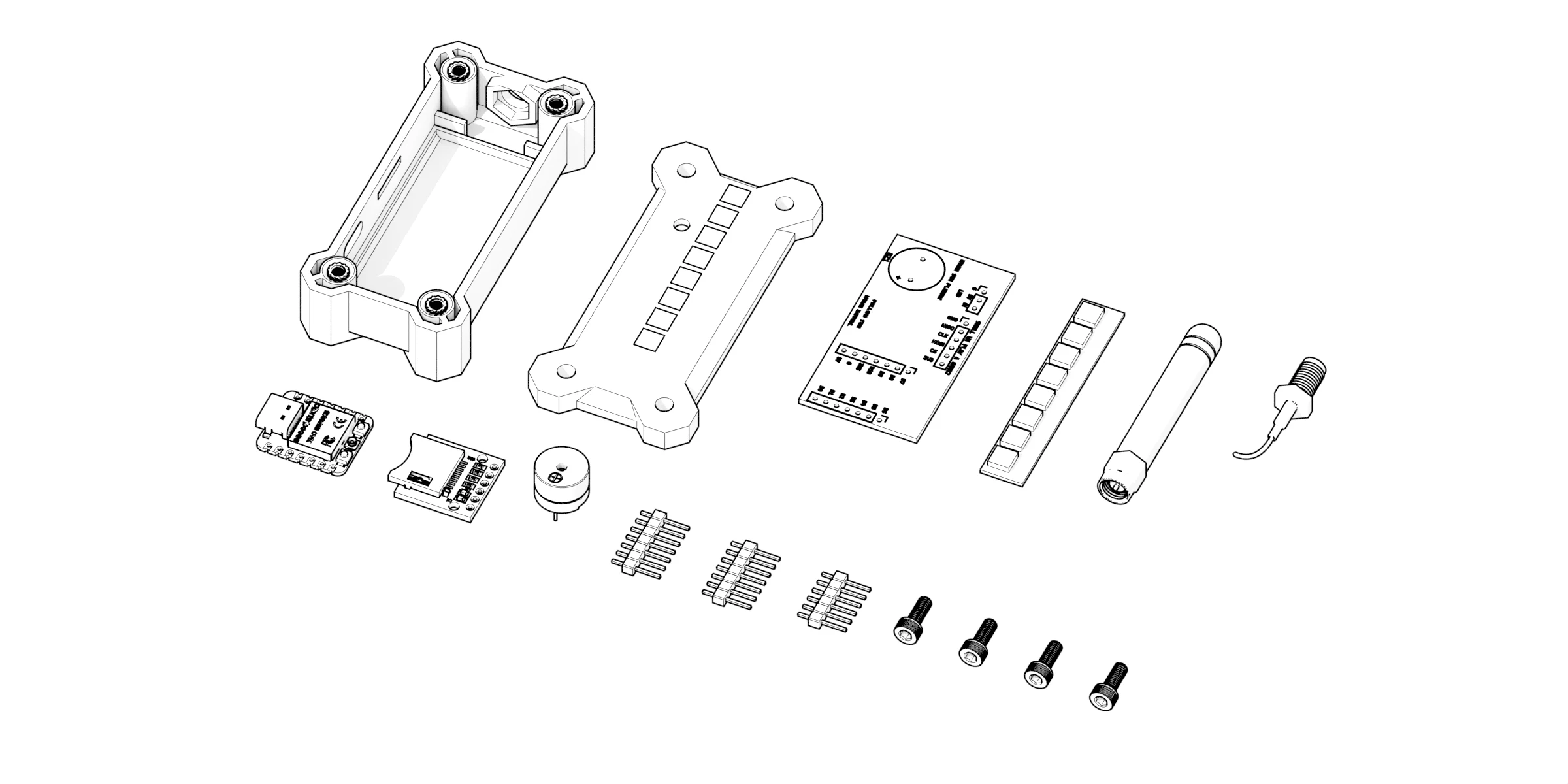
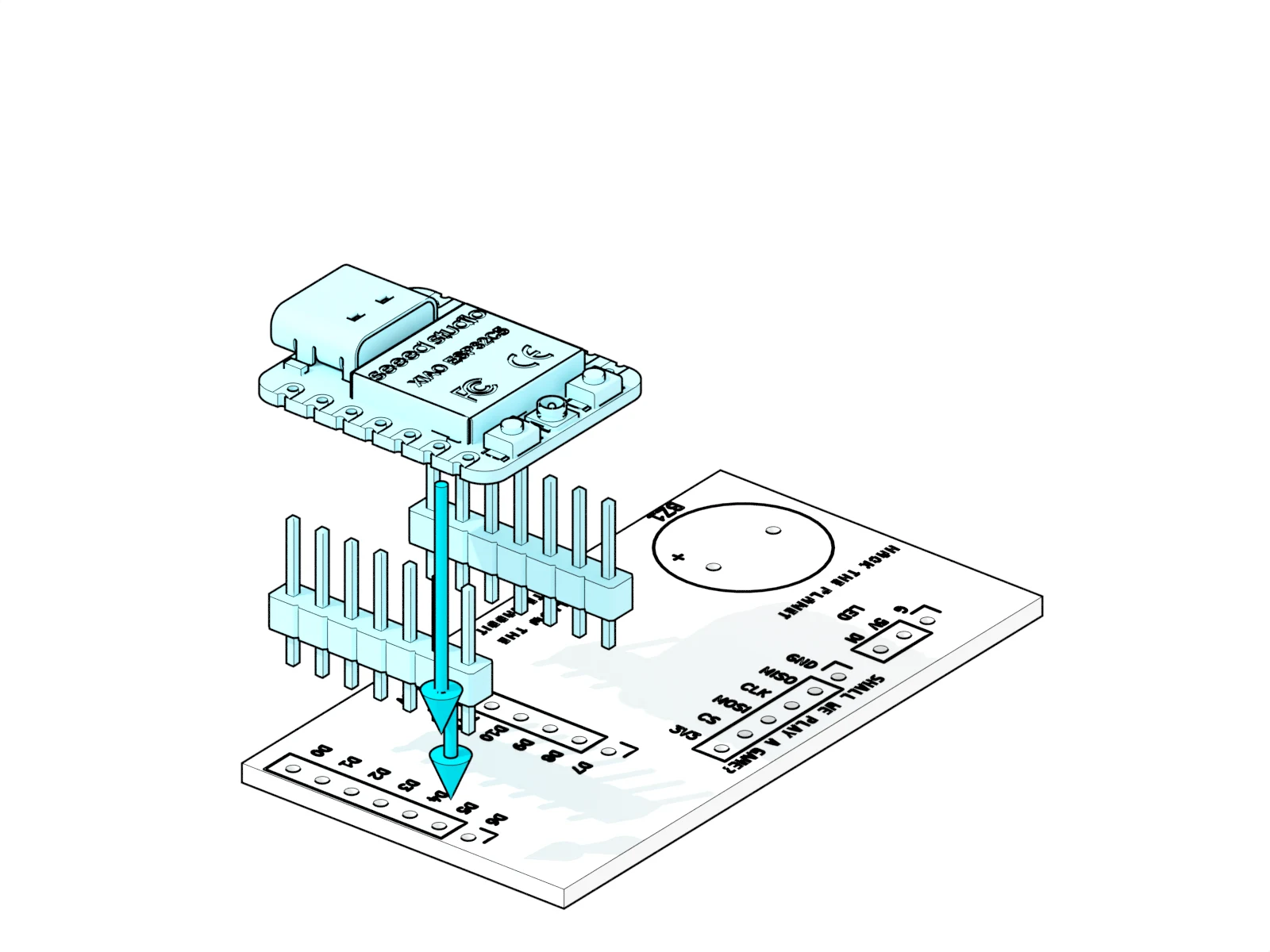
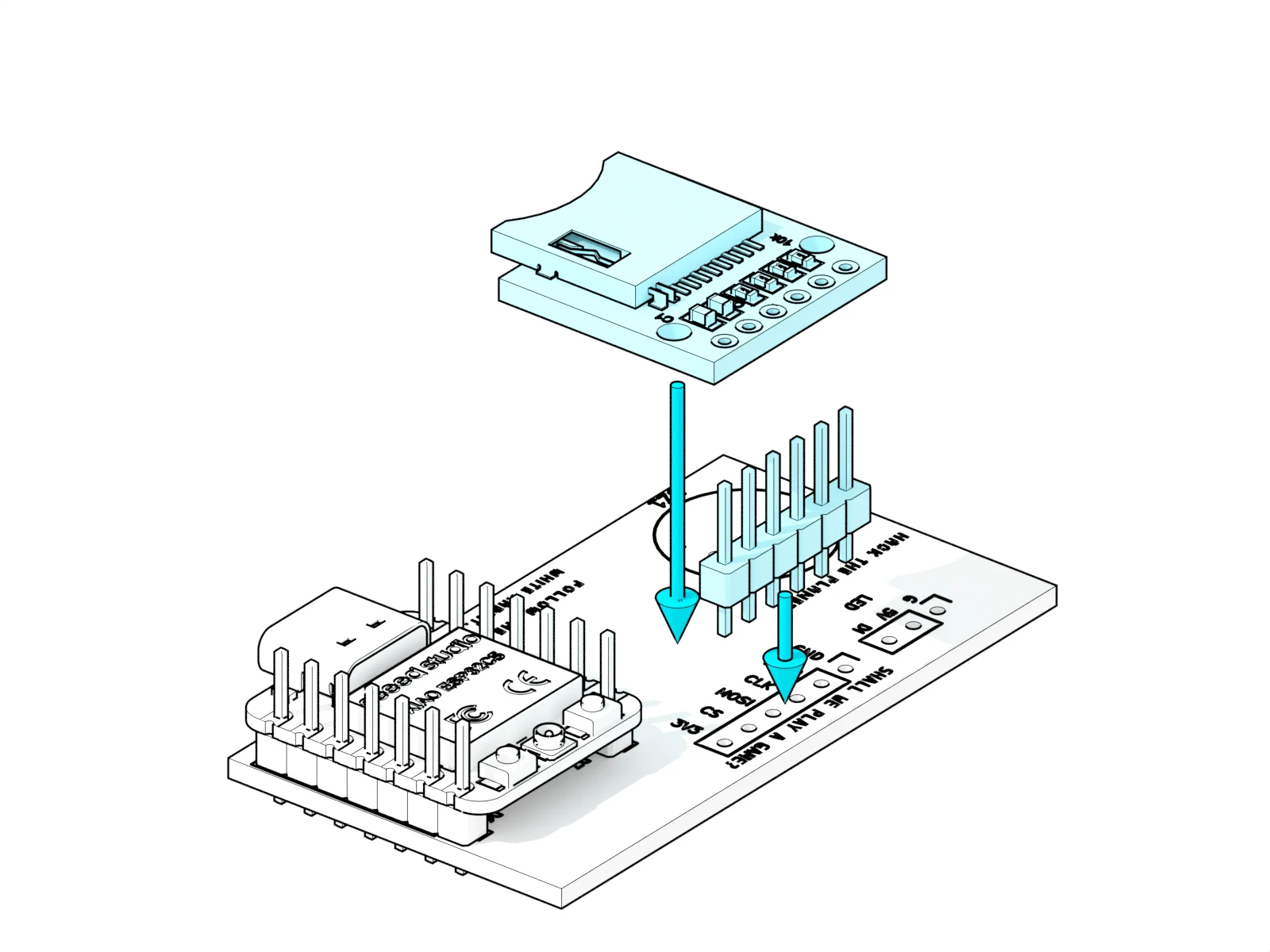
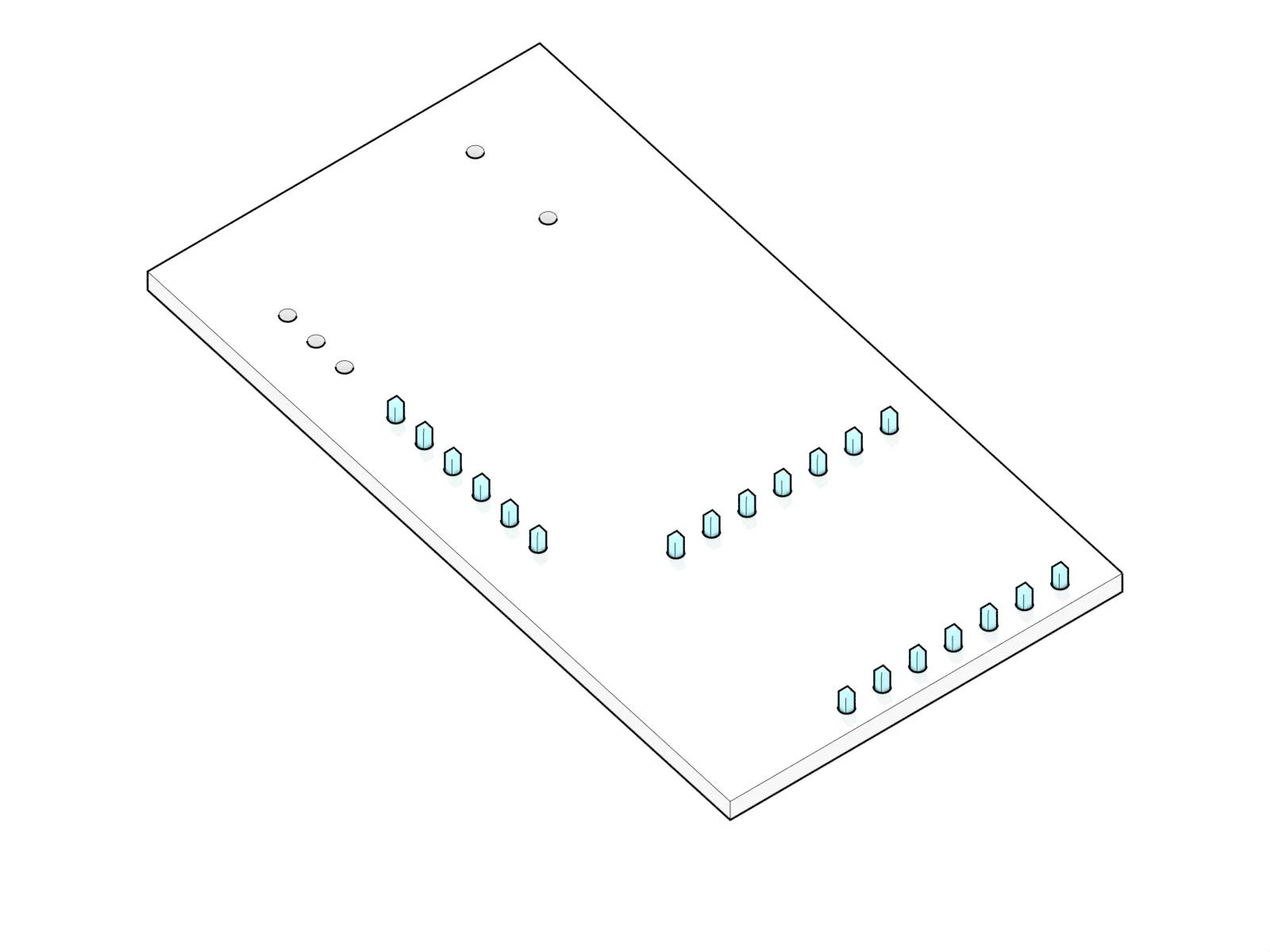
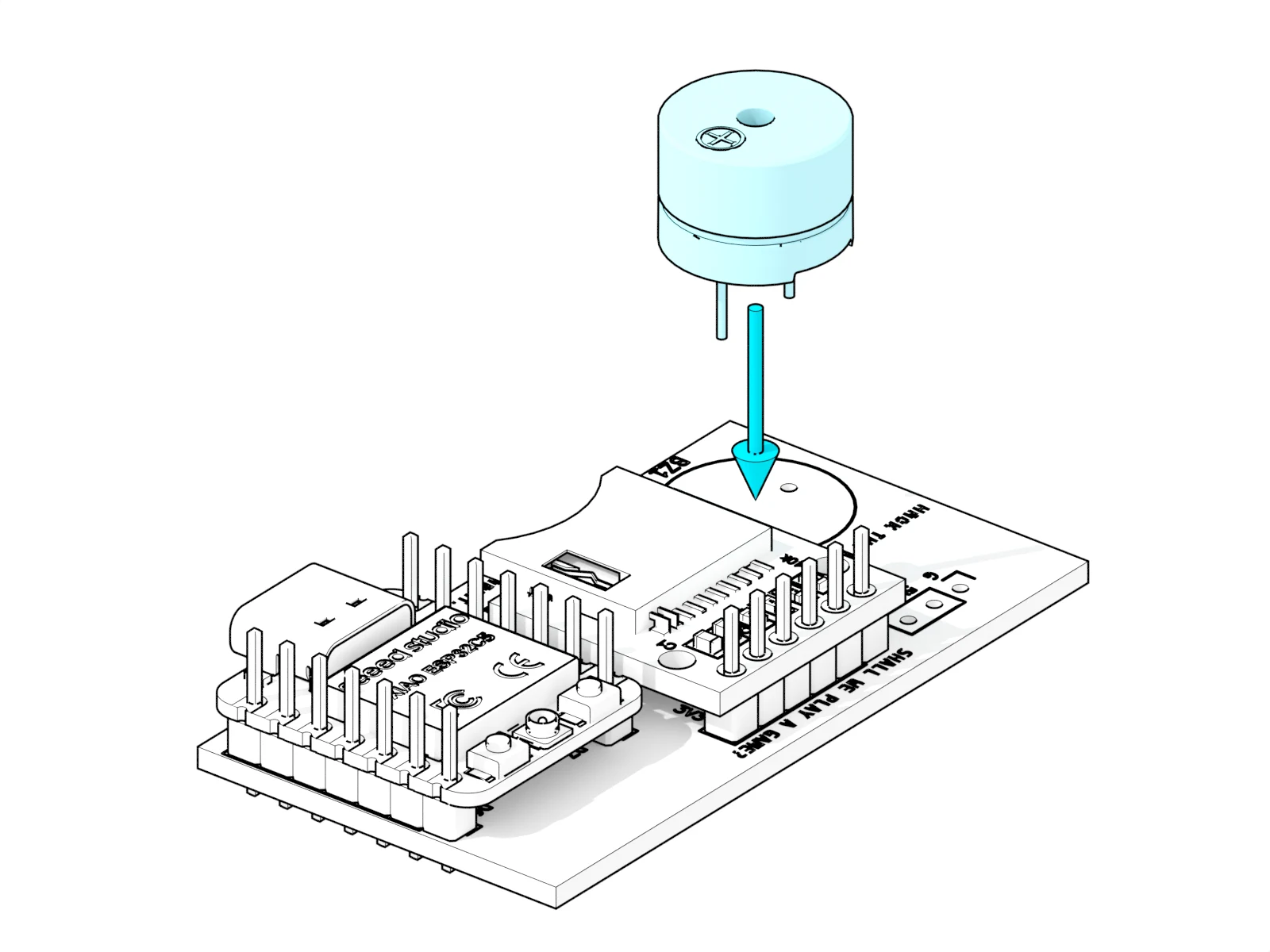
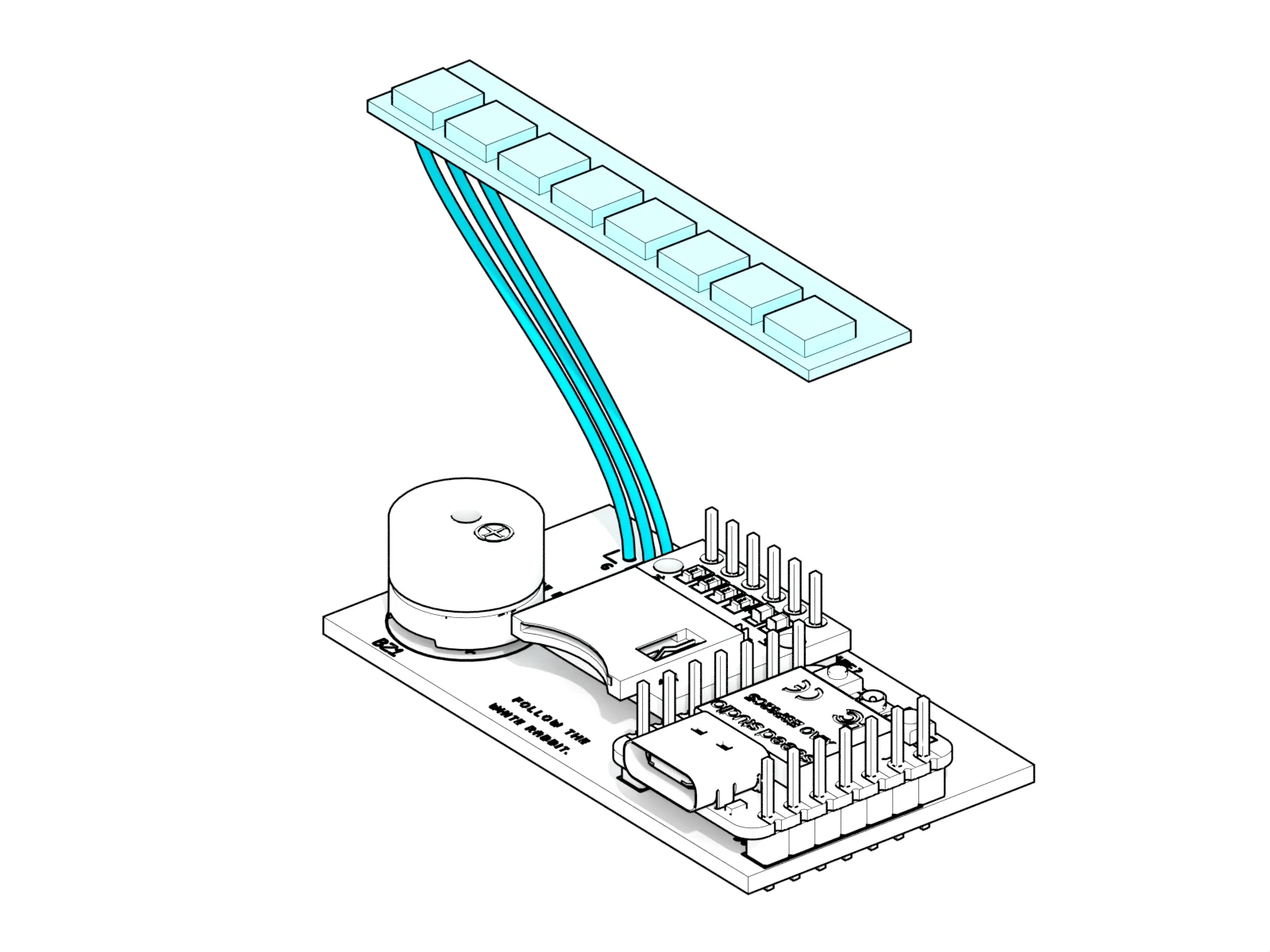
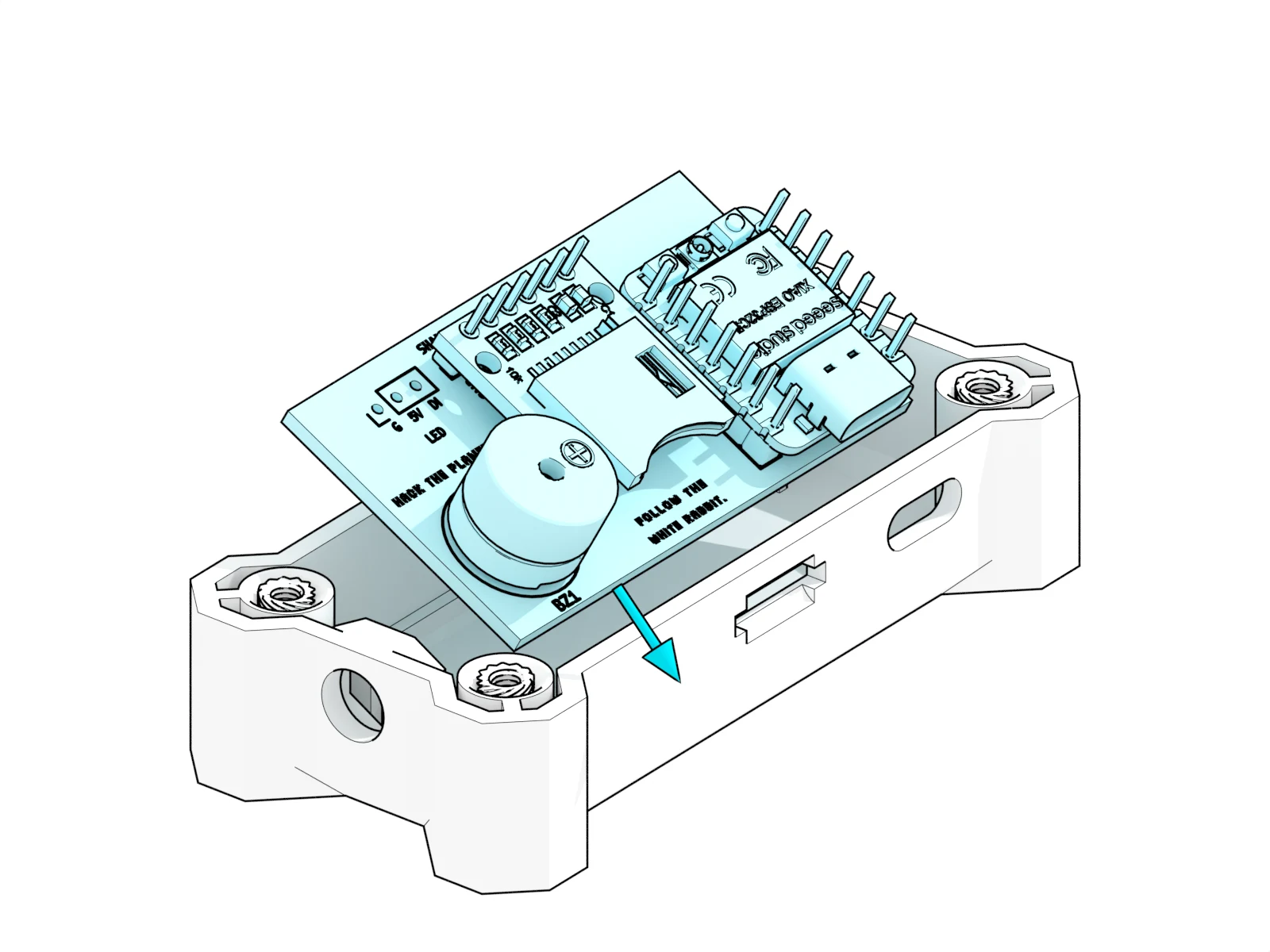
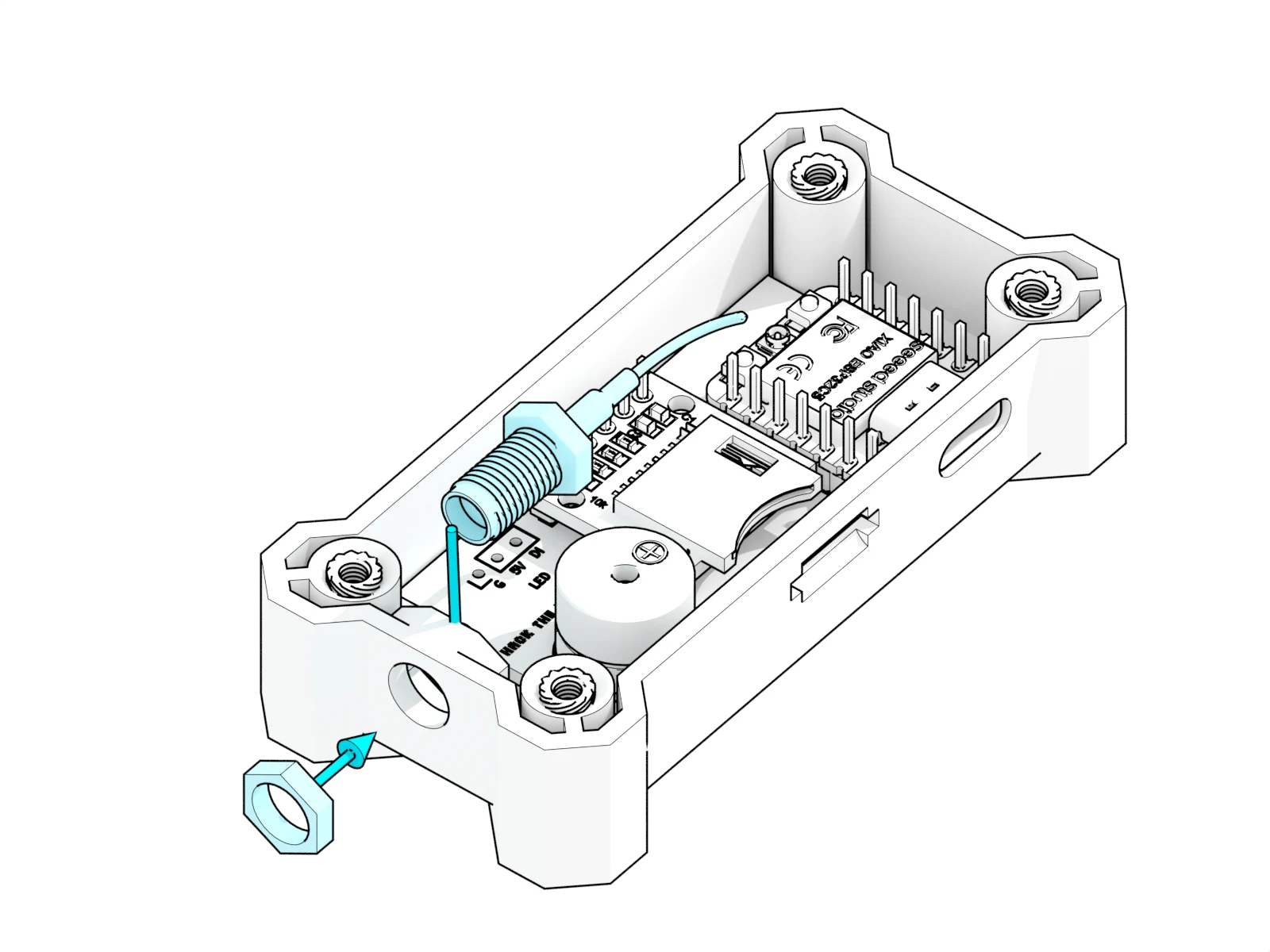
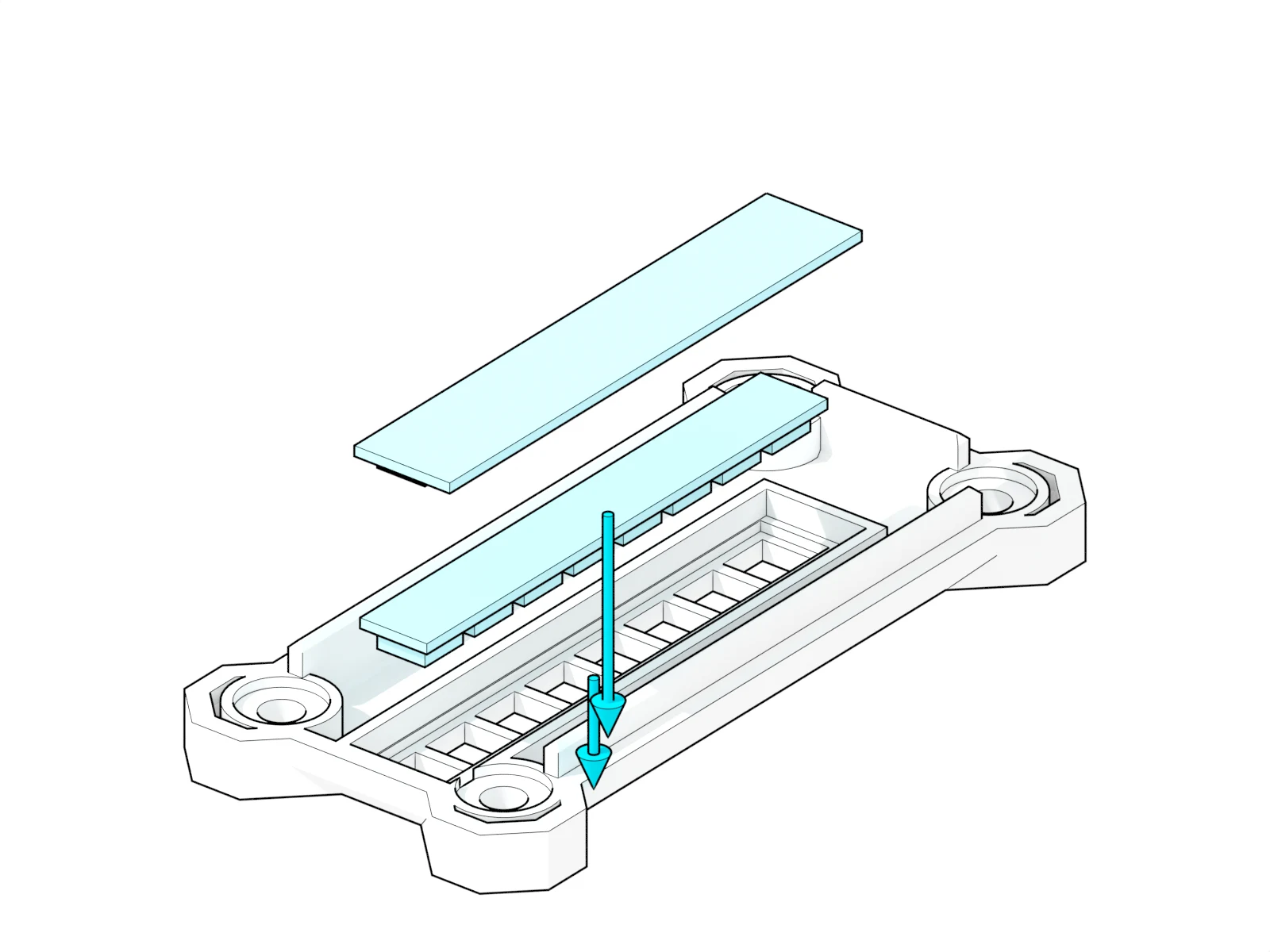
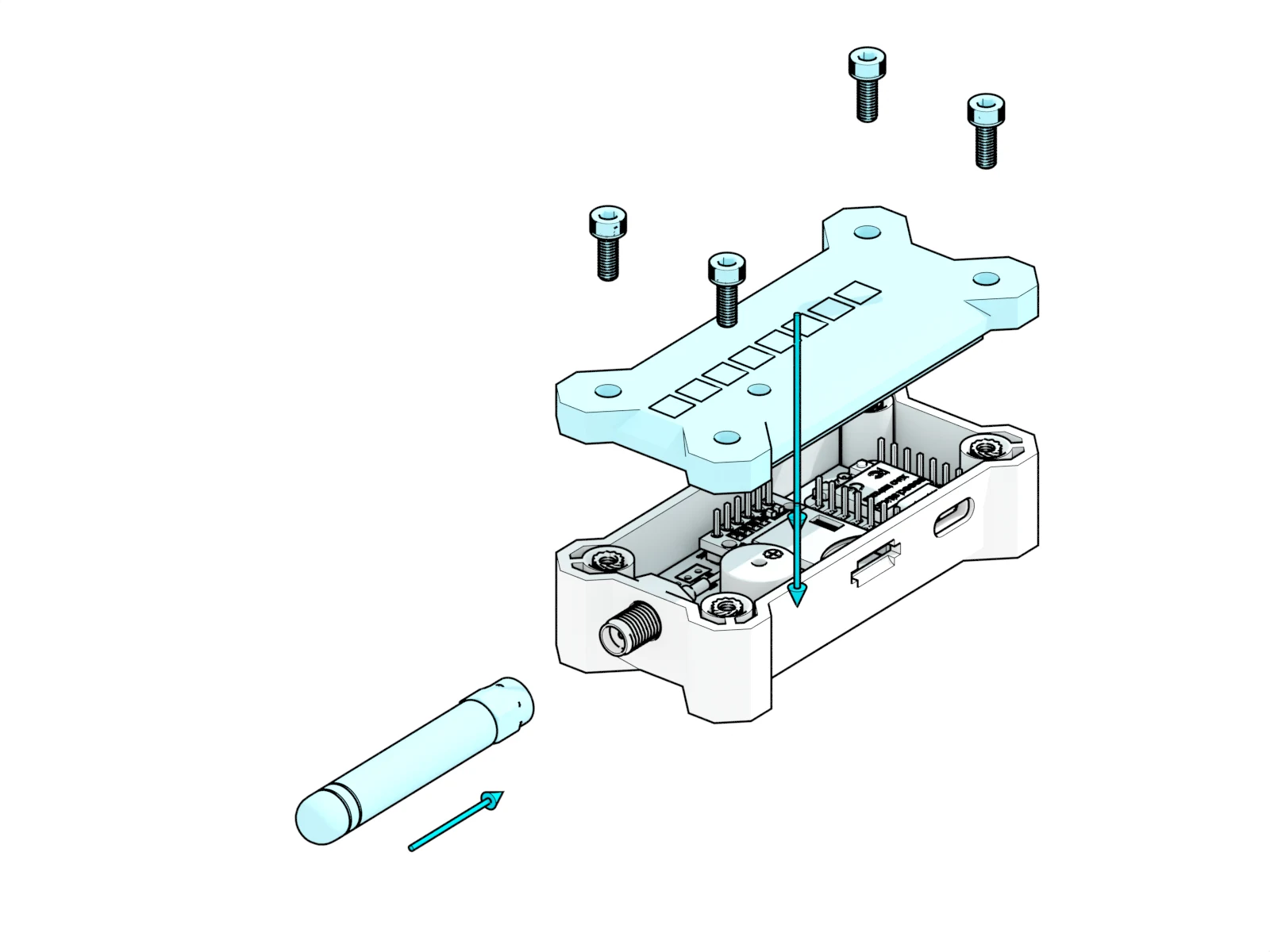
Cyan is the part you are adding. Want it on paper?
Print the PDF.
1Check the parts: case, lid with diffuser, carrier board, LED stick, antenna, pigtail, XIAO, SD reader, piezo, 3 headers, 4 screws.2SOLDER 7-pin headers, then the XIAO. USB-C at the board edge. Solder every pin twice: on top of the XIAO, then flip and solder under the board.3SOLDER 6-pin header, then the SD reader. Card slot at the board edge. Again, top and underside.4SOLDER Flip the board. Solder every pin here too.5SOLDER Piezo. + goes to the marked pad.6SOLDER Three wires to the LED stick: G→GND, 5V→5V, DI→DIN. Leave slack to reach the lid.7Board in at an angle: USB-C into its hole first, then push the back edge down.8Antenna pigtail from inside the case, out through the end. Nut on the outside. Click the other end onto the XIAO's antenna connector.9Lid upside down: diffuser first, then the LED stick, LEDs facing down. Tack with two dabs of hot glue.10Lid on, four screws, antenna.11Plug in USB-C. Flash at flash.signalsweep.net, then open the app from the same page. Next: getting started.